
Mobile Wallet Payment Solutions: What They Are and How They Work
Mobile wallets, explained in plain terms
A mobile wallet payment solution lets shoppers pay with a phone. They load a payment method in a wallet app. Then they tap or scan to pay at checkout.
This is payment through mobile wallet, not a new card type. It is a way to start a pay request from your device. The wallet then talks to the right payment network.
These are also digital wallets. Some people store tickets and loyalty offers too. But payment is the main job for most mobile wallet payment tools.
Mobile wallet payments are common in retail and food service. They can also help when lines are long. Fast checkout keeps customers moving.
How mobile wallet payments work under the hood
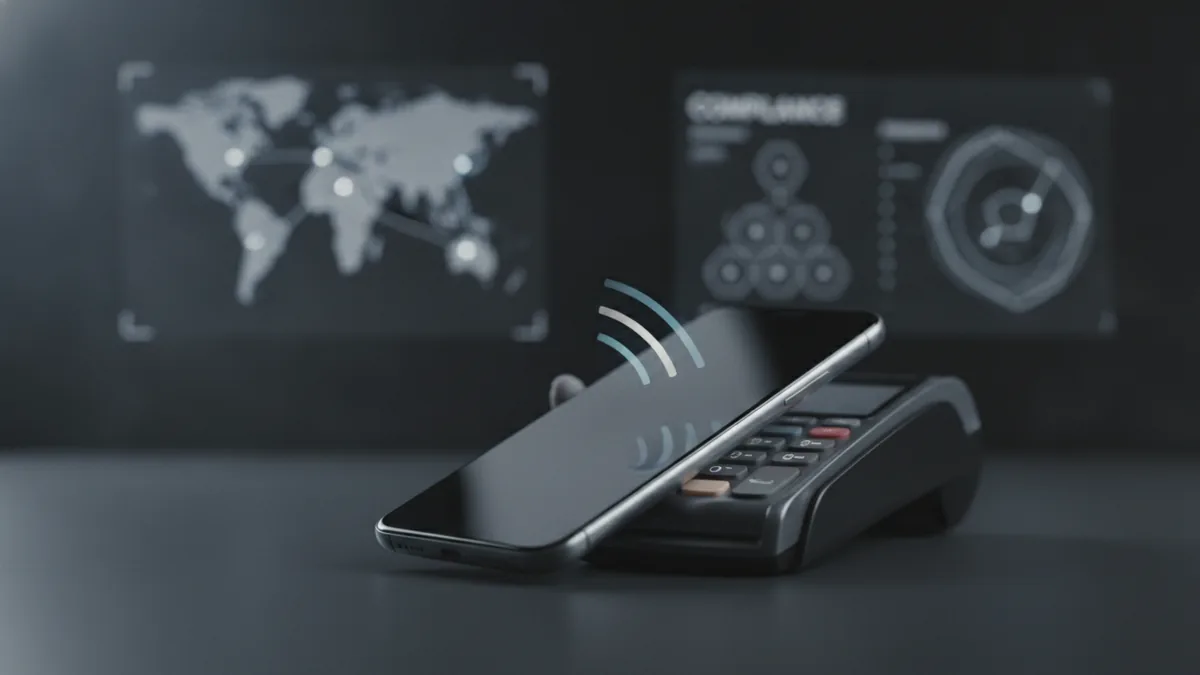
Mobile wallet payment works with the store’s checkout tools. If the store has contactless gear, the phone uses NFC. NFC is short-range chip to chip communication.
If the store uses QR, the phone can scan a code. QR is a two-way code you read with a camera. It works even when NFC is not in place.
After you confirm, the wallet sends an approve request for the purchase. The system checks risk and limits first. Then it asks the card issuer for a yes or no.
Most wallets do not share your full card number. They use tokenization instead. Tokenization replaces card data with a token for each use.
- Choose the card in your wallet app.
- Tap the phone to the terminal, or scan the QR.
- Wallet asks the network for an ok to pay.
- Issuer replies with approve or decline.
- Terminal shows the result to the cashier.
Then settlement steps happen in the back end. Your bank side and the merchant side finish the match. That part is usually invisible to shoppers.
Why mobile wallet payment solutions are popular
Convenience is a top reason people switch. A phone can pay with fewer steps than a card. Many wallets also set a default payment method.
Speed is another big win. Tap-to-pay is often quick at the lane. That can help stores handle busy hours.
Security matters to buyers and stores. Tokenization reduces the chance of raw card data exposure. Encryption protects messages while they move between systems.
Biometric security is also common. Many wallets ask for a fingerprint or face check. If that fails, payment through mobile wallet stops.
After the pandemic, usage grew in many regions. People leaned into touch-free pay at checkout. Many markets saw a rise in contactless use from 2020 onward.
Growth rates depend on local habits and device mix. Still, the direction stayed the same in many countries. Retailers saw more customers choose phone pay.
- For shoppers: quicker checkout and less card carrying.
- For stores: faster lanes and smoother queue flow.
- For risk teams: less raw data shared at the terminal.
Top mobile wallet providers you will hear about
Apple Pay and Google Pay are two well-known wallets. They both support tap-to-pay on many terminals. They also work with many bank issuers in key markets.
For Android users, you may hear about a mobile wallet with merchant payment using android. That usually means an Android wallet that can tap NFC terminals. The wallet starts the pay step, while the issuer and network handle the rest.
Some regions have extra wallets tied to local rules. Some focus on QR. Others focus on local cards or bank links.
If you build or sell merchant payment solutions, coverage matters. Customers will use the wallet they already trust. Your job is to support the wallets in your customer base.
Also check which devices work. Some wallets support phones and watches too. Then confirm how the terminal fleet handles contactless pay.
| Provider | Common pay path | Where it fits well |
|---|---|---|
| Apple Pay | NFC tap at checkout | iPhone and Apple devices |
| Google Pay | NFC tap, plus QR in some places | Android phones and wearables |
Mobile wallets vs payment banks: what is the difference?
There is a clear difference between mobile wallet and payment bank. A wallet is a pay tool on your phone. It helps you start a purchase from a trusted app.
A payment bank is a regulated bank model. It can offer accounts, manage balances, and run bank services. It sits in the financial system with extra rule needs.
So the roles differ in daily use. Wallets focus on pay start and device checks. Banks focus on customer funds and bank-grade services.
This shows up at checkout too. With a wallet, the terminal asks for an approve. That approve comes from the issuer and network chain.
With a payment bank, you may also get account features. You might top up, hold funds, or move money. It depends on the bank product and local rules.
For merchant teams, role clarity helps avoid mix-ups. Contracts and reports can change by provider type. It helps you pick the right partner for each task.
- Wallet: device pay step and user consent.
- Bank: account and balance services under rules.
- Both: must connect to the pay rails for checkout.
Security features that protect mobile wallet payment
Mobile wallets use layered security. First is user consent. Many wallets ask for a fingerprint or face check before payment can run.
Next is encryption. Encryption is a way to scramble data in transit. It helps stop outsiders from reading payment messages.
Tokenization is the next layer. Tokenization is replacing card data with a token. The token is often tied to a device and a use case.
This means the store may not see the same data as a card swipe. It reduces the value of stolen data. That helps lower fraud odds for exposed merchants.
Wallets also use risk checks. They look at device signals and pay patterns. If something looks off, the wallet can ask for more proof.
Good wallet security is stacked. Consent, encryption, and tokenization work together.
Conclusion and future trends for mobile payments
Mobile wallet payment solutions help people pay with less effort. They use NFC or QR for quick checkout. Then they route the request through the payment chain.
The main benefits stay clear. It is fast, convenient, and often safer for card data. Stores can also improve flow at busy times.
Mobile wallet growth should keep going. More phones support wallet features each year. More stores add mobile wallet acceptance too.
We will also see more features inside wallets. Think loyalty, offers, and other everyday passes. That keeps the wallet as a main app for daily spending.
For builders and merchants, keep your stack flexible. Wallet rules and security settings can change over time. Track how customers pay, then adjust your acceptance choices.
Frequently asked questions
What is a mobile wallet payment solution?
It is an app that lets you pay with your phone at checkout. It links your device to the pay network for approval and settlement.
How does payment through mobile wallet work at a store?
You tap your phone to an NFC terminal, or scan a QR. The wallet then asks for approval, and the terminal shows the result.
What technology do mobile wallets use for contactless payments?
Most use NFC for short-range communication. Some places also use QR when terminals support it.
What are the main benefits of mobile wallet payment?
It is usually faster and more convenient than using a card. It can also be safer because tokens and encryption protect data.
What is the difference between mobile wallet and payment bank?
A wallet is a pay tool and user sign in on your phone. A payment bank is a regulated institution that can offer accounts and balances.
How do mobile wallets stay secure?
They often use biometric consent, encryption, and tokenization. Risk checks can add steps when a charge looks unusual.
Related Articles

Return Payment Fees — Why They Happen and How to Avoid Them
See why payments are returned, what fees may follow, and how to reduce the risk.
2D Payment Gateways — Speed, Risk, and Setup
See how 2D payment gateways work, where they help, and what risks they bring.
ACH Payments — How Bank Transfers Work
Understand ACH transfers, costs, timing, transaction types, and business use.