
How Does Mobile Payment Processing Work, and What Does It Cost?

What Mobile Payment Processing Means
Mobile payment processing lets a business take payments with a smartphone or tablet. A small card reader or built-in tap feature turns the device into a payment tool.
Customers can tap a card, swipe a magnetic stripe card, or use a mobile wallet. Common wallets include Apple Pay and Google Pay. These methods help firms take payment at a counter, market stall, job site, or customer home.
The payment path has several parts. A payment app sends the request to a payment processor. The processor checks the card with the bank and returns an approval or decline.
Some firms use a merchant account for card funds. Others use a provider that combines the merchant account with its payment service. This choice affects fees, payout times, support, and account controls.
- Tap to pay: The customer taps a card or phone near the reader.
- Card swipe: The reader takes data from the card stripe.
- Mobile wallet: The customer pays with a stored card on a phone or watch.
- Payment link: The seller sends a secure link for remote payment.
Why Businesses Use Mobile Payment Services
Mobile payment services can cut the need for fixed checkout gear. A food truck can take payment in a queue. A repair firm can collect funds after a job.
Speed is another gain. Contactless payments often take only a few seconds. Faster checkout can shorten lines and help staff serve more customers.
Many providers offer free initial hardware or low upfront costs. This helps small firms start without a large equipment budget. Still, check the full fee plan before signing up.
Mobile tools can also link payment data with daily work. A point-of-sale system can track sales, manage stock, and store customer details. These tools give owners a clearer view of each sale.
| Business need | Useful mobile feature |
|---|---|
| Outdoor sales | Battery power and offline payments |
| Fast service | Tap-to-pay support and quick checkout |
| Cash flow | Fast deposits and clear payout times |
| Repeat sales | Customer records and sales reports |

Features to Compare Before You Sign Up
Start with payment support. The provider should accept the cards and wallets your customers use. Ask if the service supports tap-to-pay, card swipes, keyed entry, and payment links.
Offline payment processing matters when a signal may fail. This feature can save payment data on the device until it reconnects. Ask about limits, time windows, and the risk of a declined offline payment.
Next, review payout speed. Some services send funds on the next business day. Others offer same-day deposits for an extra fee. Check the cutoff time and the days when banks do not settle funds.
Pricing should be clear at first glance. Look for the rate per payment, monthly charges, reader costs, refund fees, and chargeback fees. A low card rate may not mean a low total cost.
- Support for cards, wallets, and contactless payments
- Offline mode with clear limits
- Fast deposits that match your cash needs
- Simple reports for sales and refunds
- Stock tools for firms that sell goods
- Customer tools for repeat sales and support
- Phone and chat support during business hours
Test the app before launch. Create a sale, issue a refund, view a report, and close a batch. These small tests reveal gaps that sales pages may hide.
Popular Types of Mobile Payment Processors
Mobile payment processing companies tend to follow a few main models. All-in-one providers offer the app, reader, payment account, and reports in one place. They often suit small firms that want a quick start.
Bank-linked providers may offer a direct merchant account. They can suit firms with steady sales and a need for custom rates. The setup may take longer and require more paperwork.
Platform-based providers build payments into another tool. A booking app, online store, or field service system may include payment features. This can reduce manual work, but it may tie payments to that platform.
Large firms may choose a payment gateway plus a separate merchant account. This route can support more countries and payment types. It also adds more work for setup, support, and payment matching.
Compare providers by fit, not fame. A local shop may need simple reports and low fixed costs. A growing firm may need many users, stock control, and links to its finance system.
Ask each provider for a written fee example. Use a sample month with 500 payments, a $40 average sale, 20 refunds, and two chargebacks. This makes each quote easier to compare.
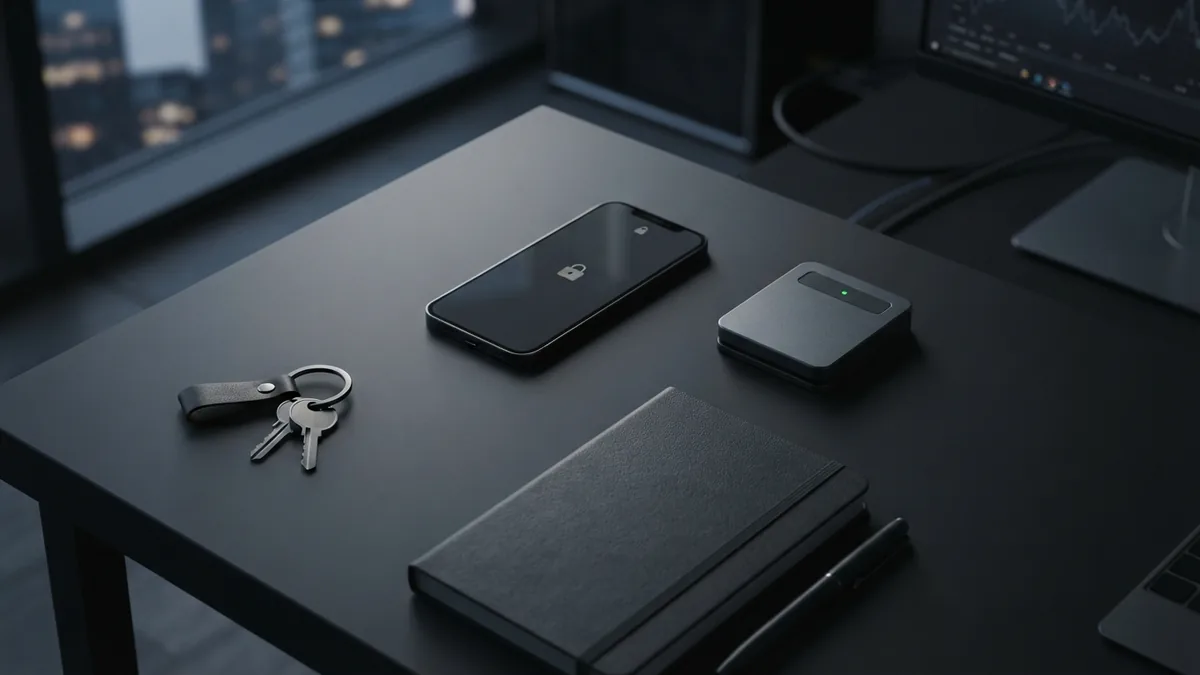
Mobile Payment Security Basics
Security should shape the choice from the start. A good provider uses encryption to protect payment data as it moves between devices and payment systems.
Fraud checks can flag odd payment patterns. Examples include many cards used on one device or a sudden rise in high-value sales. Ask what checks run by default and what you can change.
Choose a service that follows PCI rules for card payments. The PCI Security Standards Council's merchant guidance explains key duties for firms that take card payments.
Device safety matters too. Use a screen lock and keep the operating system current. Give each worker a separate login when the service supports user roles.
- Use a supported reader from the provider.
- Turn on two-step sign-in for staff accounts.
- Limit refunds and keyed payments by user role.
- Review sales alerts and failed payment reports.
- Never store card details in notes or spreadsheets.
Plan for a lost phone or tablet. Lock the device from a second device when possible. Then change account passwords and call the provider.
How to Choose the Best Mobile Payment Processor
The best mobile payment processor depends on your sales pattern. Start with where you sell, how much you process, and how fast funds must reach your bank.
List your must-have payment methods before you compare firms. Include cards, mobile wallets, payment links, and any local methods your buyers request. Remove providers that miss a core method.
Then work out the real monthly cost. Add payment fees, hardware, software, deposits, refunds, chargebacks, and support. Use your own sales figures instead of a sample from the provider.
Check the contract terms. Look for rolling reserves, payout holds, account reviews, and cancellation rules. These terms can affect cash flow more than a small change in the card rate.
- Map your sales: Note sales channels, average order value, and busy periods.
- Set must-have features: Include wallets, offline mode, reports, and stock tools.
- Compare total costs: Price the same sales month across three providers.
- Test the service: Run a small sale, refund, payout check, and report review.
- Check support: Ask who handles payment holds, fraud alerts, and device faults.
- Plan the rollout: Train staff and set rules for refunds and account access.
A short trial can prevent a costly switch later. Watch approval rates, deposit timing, support speed, and staff errors.
Choose the service that fits daily work. The lowest rate is not the best deal if it slows payouts or lacks key controls.
Common Questions About Mobile Payment Processing
Mobile payments work well when the device, app, reader, and payment account fit together. The right setup keeps checkout quick without hiding costs or risks.
Review the service after launch. Sales needs change as you add staff, locations, products, or new payment methods.
Frequently asked questions
What is mobile payment processing?
Mobile payment processing lets firms accept card and wallet payments through a smartphone or tablet. A reader or built-in tap feature connects the device to a payment service.
What features should I look for in a mobile payment service?
Key features include tap-to-pay support, offline payments, fast deposits, clear fees, sales reports, and strong account controls. Stock and customer tools may also help.
Are mobile payment processors free to start?
Many providers offer free starter hardware or low upfront costs. You may still pay payment fees, monthly charges, refund fees, or chargeback fees.
How secure are mobile payments for small businesses?
Ask about encryption, fraud checks, account roles, two-step sign-in, and PCI rules. Protect each device with a screen lock and current software.
How do I choose the best mobile payment processor?
Compare providers by payment methods, total monthly cost, payout speed, support, contract terms, and tools. Test a sale and refund before you commit.
Related Articles

Return Payment Fees — Why They Happen and How to Avoid Them
See why payments are returned, what fees may follow, and how to reduce the risk.

2D Payment Gateways — Speed, Risk, and Setup
See how 2D payment gateways work, where they help, and what risks they bring.

ACH Payments — How Bank Transfers Work
Understand ACH transfers, costs, timing, transaction types, and business use.