
Merchant Account vs Payment Gateway: How Payments Work

How the Payment System Fits Together
In the merchant account vs payment gateway debate, these tools serve different jobs. A merchant account holds card funds for a business. A payment gateway sends payment data for approval. A payment processor moves funds between banks and accounts.
A fourth party is often involved: the acquiring bank. This bank supports the merchant account and receives card payments for the business. The issuing bank serves the customer and checks the card or bank account.
The terms can seem alike because many providers bundle them. Their roles still differ. Knowing those roles helps you compare fees, risks, and setup needs.
- Merchant account: A special business bank account for card funds
- Payment gateway: A secure tool that sends payment data
- Payment processor: A service that routes and settles payments
- Acquiring bank: The bank that supports the merchant side
What Is a Merchant Account?
A merchant account is a special business bank account. It lets a business accept credit and debit card payments. Card funds first enter this account before they reach the firm’s normal bank account.
The account does not work like a standard checking account. The provider may hold funds for a short time. This hold helps cover refunds, disputes, and card fraud claims.
Approval can depend on the business type and risk level. The provider may review sales volume, products, refund rates, and the merchant category code. A merchant category code groups a business by its main trade.
Costs often include a monthly fee, a setup fee, and fees on each payment. Some providers also charge for chargebacks or early fund payouts. Read the full rate sheet before signing up.
Card rules also apply. Businesses that store, send, or handle card data may need to meet the PCI Security Standards Council’s merchant guidance. The exact duties depend on the payment setup.

What Is a Payment Gateway?
A payment gateway is the online part of a card payment system. It collects payment details and sends them to the right payment service. It can appear on a checkout page, inside an app, or at a card terminal.
The gateway protects data during transmission. It may use encryption and tokenization. Tokenization replaces card details with a safe token that has little value if stolen.
The gateway also starts transaction authorization. It sends the payment request to the processor. The processor then asks the customer’s bank to approve or decline the payment.
Gateway pricing often uses a fee per payment. Some plans add a monthly charge or a fee for each payment method. Check if the gateway works with your shopping cart, fraud tools, and chosen processor.
- Collects card or bank payment details
- Encrypts data before it leaves the checkout
- Sends the request to a payment processor
- Returns an approval or decline result
- May support fraud checks and saved payment tokens
Where the Payment Processor Fits
A payment processor is the middle layer between the customer’s bank and the merchant side. It routes payment requests through card networks or bank rails. It also handles the return message from the customer’s bank.
The processor does more than pass data along. It can check account details, apply risk rules, and manage settlement files. Settlement is the step that moves approved funds toward the merchant account.
For example, a customer pays $100 online. The gateway sends the request to the processor. The processor asks the issuing bank for approval, then sends the result back through the gateway.
After approval, the processor groups payments for settlement. The acquiring bank receives the funds and posts them to the merchant account. The business may then move those funds to its main bank account.

Merchant Account vs Gateway: The Main Differences
The clearest payment gateway vs merchant account distinction is data versus funds. A gateway moves payment data in a safe way. A merchant account receives and holds card funds.
A gateway works at checkout. A merchant account works after approval and during settlement. Both are needed in some setups, but one cannot replace the other in every case.
| Feature | Merchant account | Payment gateway |
|---|---|---|
| Main role | Holds card payment funds | Sends payment data |
| Customer view | Usually hidden | Often part of checkout |
| Key risk | Refunds and payment disputes | Data theft and failed requests |
| Common fees | Monthly, payment, and dispute fees | Per-payment and monthly fees |
| Core need | Bank and card network access | Secure checkout connection |
The phrase merchant account vs payment processor compares a holding account with a routing service. The processor moves funds and messages. The merchant account receives funds after the banks approve them.
How a Card Payment Moves From Buyer to Business
The payment processing flow starts when a customer enters card details. The gateway encrypts the details and sends an approval request. The processor routes that request through the card network.
The issuing bank checks the card status, available funds, and risk signals. It returns an approval or decline. The gateway shows that result to the customer and the business.
Approval does not mean final settlement. The business may capture the payment at once or later. Capture tells the processor to collect the approved funds.
The processor then sends settlement data to the acquiring bank. The funds reach the merchant account after network fees and other charges. The business can later transfer the balance to its operating account.
- The customer submits payment details at checkout
- The gateway encrypts and sends the request
- The processor routes it to the issuing bank
- The issuing bank approves or declines the payment
- The processor settles approved funds to the merchant account
- The business transfers the balance to its bank account
A failed step can create a poor checkout experience. For example, a gateway may reject an invalid card before the processor sees it. A processor may decline a payment after the gateway sends it.
How These Services Work as One System
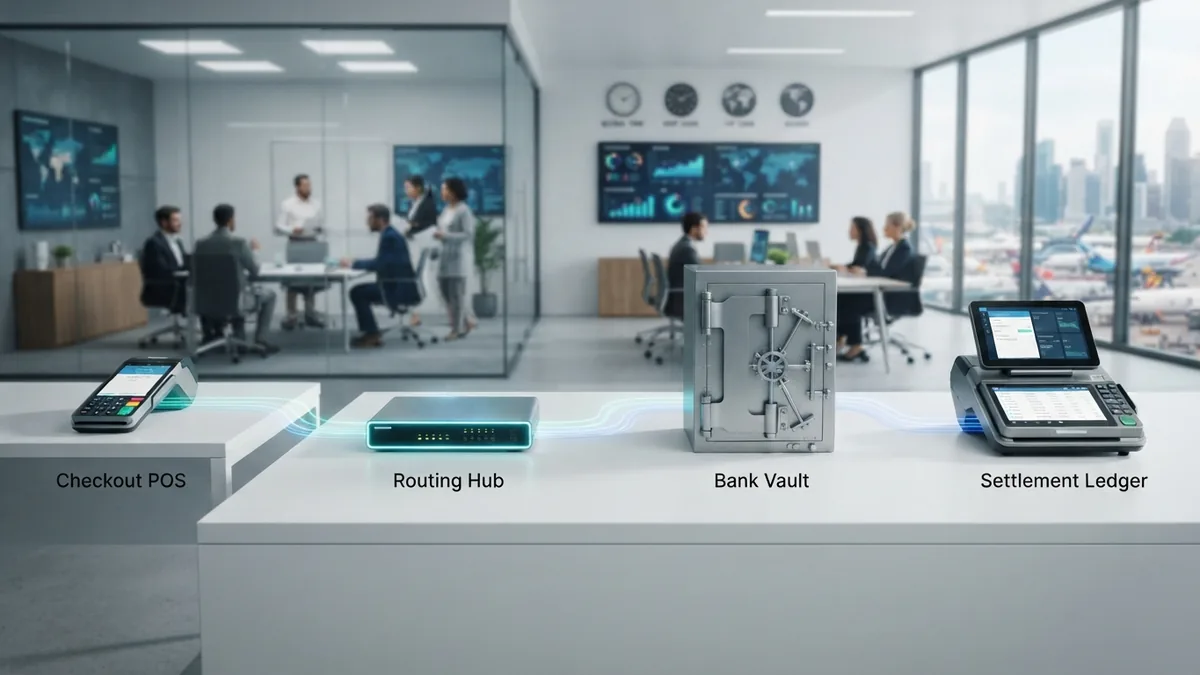
The gateway, processor, and merchant account must share key details. These include the business account, payment methods, currency, and settlement rules. A weak link can cause failed payments or delayed payouts.
Integration also affects fraud checks and customer records. A gateway may send device data to the processor. The processor may use that data with card rules and its own risk checks.
Businesses should test more than a successful payment. Test declines, refunds, partial refunds, duplicate orders, and chargebacks. Also test what happens when a customer closes the checkout page.
Clear records matter after launch. Match orders with payment IDs and settlement reports. This makes it easier to spot missing funds, wrong fees, or duplicate charges.
Choosing the Right Payment Setup
Start with your sales channels and target markets. A shop that sells in one country may need fewer payment methods than a global store. Cross-border sales can add currency, tax, and payout needs.
Next, compare the full cost. A low payment fee may hide a monthly charge or a high dispute fee. Model costs at three sales levels, such as $10,000, $50,000, and $100,000 per month.
Review the provider’s risk and payout terms. Ask how long funds can be held and what triggers a review. Confirm who handles customer support when a payment fails.
Finally, check the technical fit. Your gateway should connect with your store, billing tool, fraud checks, and reporting system. Your processor should support the currencies and payment methods your customers use.
- List each sales channel and target country
- Compare all fixed, per-payment, and dispute fees
- Check payout timing and reserve rules
- Confirm support for your currencies and payment methods
- Test refunds, declines, and account changes before launch
Some payment service providers bundle all three roles. Others let you choose each service. Bundles can speed up setup, while separate tools may give more control.
Use the same test cases for every provider. Compare approval rates, payout times, support quality, and total cost. The best choice is the one that fits your sales model without adding needless risk.
Frequently asked questions
What is the difference between a merchant account and a payment gateway?
A merchant account is a business bank account for receiving card funds. A payment gateway sends payment data for approval.
What is the difference between a payment gateway and a payment processor?
The gateway sends payment details and returns the result. The processor routes the request, handles bank messages, and helps settle funds.
Do I need both a payment gateway and a merchant account?
Many firms need both. A gateway handles the checkout connection, while the merchant account receives approved card funds.
How much does a merchant account and payment gateway cost?
Common costs include monthly fees, payment fees, payout fees, and dispute fees. The mix varies by provider and business risk.
Can one company provide all payment services?
Yes. A provider may bundle the gateway, processor, and merchant account into one service. This can make setup simpler.
Related Articles

Return Payment Fees — Why They Happen and How to Avoid Them
See why payments are returned, what fees may follow, and how to reduce the risk.

2D Payment Gateways — Speed, Risk, and Setup
See how 2D payment gateways work, where they help, and what risks they bring.

ACH Payments — How Bank Transfers Work
Understand ACH transfers, costs, timing, transaction types, and business use.